11:15 GmailReminders
Reminder for Martín
To: martin@… · Hi Martín, we'll see you tomorrow at 10:30.
Not done
It couldn't send the email. It's marked as failed and you can retry it. It never says it sent it if it didn't.
A team of AI agents for your business: it answers your customers, books appointments, takes payments and works with you. It checks with you on the important things first.
Access is by invitation. With a code, your account activates when you confirm your email. Without one, you join the waitlist.
Squad is what we call your team. This is the team of Consultorio Nogal, on the Professional plan: 7 members. With an invitation you get into Starter for free: your two Directors and 2 Operators.
Reception, your public Director, is the only voice that talks to your customer.
Reception picks it up on your nooble.app page, or on WhatsApp, Telegram or Instagram, and hands out the work.
Inquiries searches what you uploaded. If something isn't there, it says so instead of making it up.
Scheduling looks for open times in your Google Calendar and shows them. Your client taps one and it's booked.
Billing prepares the deposit link in Mercado Pago. Since it's a charge, it goes out when you give the OK. And it never logs “done” if it didn't happen.
Cowork, your internal Director, knows your type of business and works on the inside, in private.
Cowork splits the request among its Operators and shows it back neatly, without you opening each app.
Sending a message, taking a payment or changing your own data doesn't run by itself: you see the draft, edit it if you want, and approve. Try it: tap a button.
Gmail · needs your OKAccess is by invitation. With a code, your account activates when you confirm your email. Without one, you join the waitlist.
Example: Consultorio Nogal, Córdoba. A customer asks: Hi, do you have an appointment on Thursday for a consultation? Reception received the inquiry and split up the work. Inquiries answered how long the consultation lasts, using what your document says. Scheduling looks for open times in your Google Calendar and shows them. Your client taps one and it's booked. Billing prepares the deposit link in Mercado Pago. Since it's a charge, it goes out when you give the OK. Then, on the inside, the owner asks Cowork: Check my schedule for tomorrow and tell me who hasn't paid the deposit. Cowork asks before acting: Send Martín the reminder with the deposit link?
apps your team knows how to use
For example:










 +26
places where it answers:
 WhatsApp
 Telegram
 Instagram
industries to choose from
For example, in Professional:
One screen about your business and the rest is conversation: it proposes the team, you review it, and it starts serving customers. You get in with your invitation code.
What it's called, how you work and what you do. That's enough to pick the team for your industry.
Your two Directors, Cowork inside and Reception outside, and below them who starts now and who waits for an app. If you join for free, it's 4 members; the full practice, on Professional, is 7.
One single decision. Anything you don't like, you change by talking, before you activate.
You change it piece by piece, whenever you want, without rebuilding the team. Try it: tap a plug and see who wakes up.
2 of 7 working
You connect your Google Calendar or your Mercado Pago and the Operator that was waiting for it starts working. If you disconnect it, the Operator waits again and everything goes back to how it was.
You upload your price list or your policies and the Consultant answers with that. If something isn't there, it says so instead of making it up.
You add an Operator or a Consultant, pause them or remove them, without rebuilding the team.
Three details and an OK, and your team is up and serving customers.
Request accessAccess is by invitation. With a code, your account activates when you confirm your email. Without one, you join the waitlist.
Each category has its own Cowork: it knows how you work and where to start. You ask for things in your own words.
Tomorrow's schedule4 appointments · Google CalendarAnything sensitive doesn't run by itself: Cowork shows you the draft and waits for your OK.
Request accessAccess is by invitation. With a code, your account activates when you confirm your email. Without one, you join the waitlist.
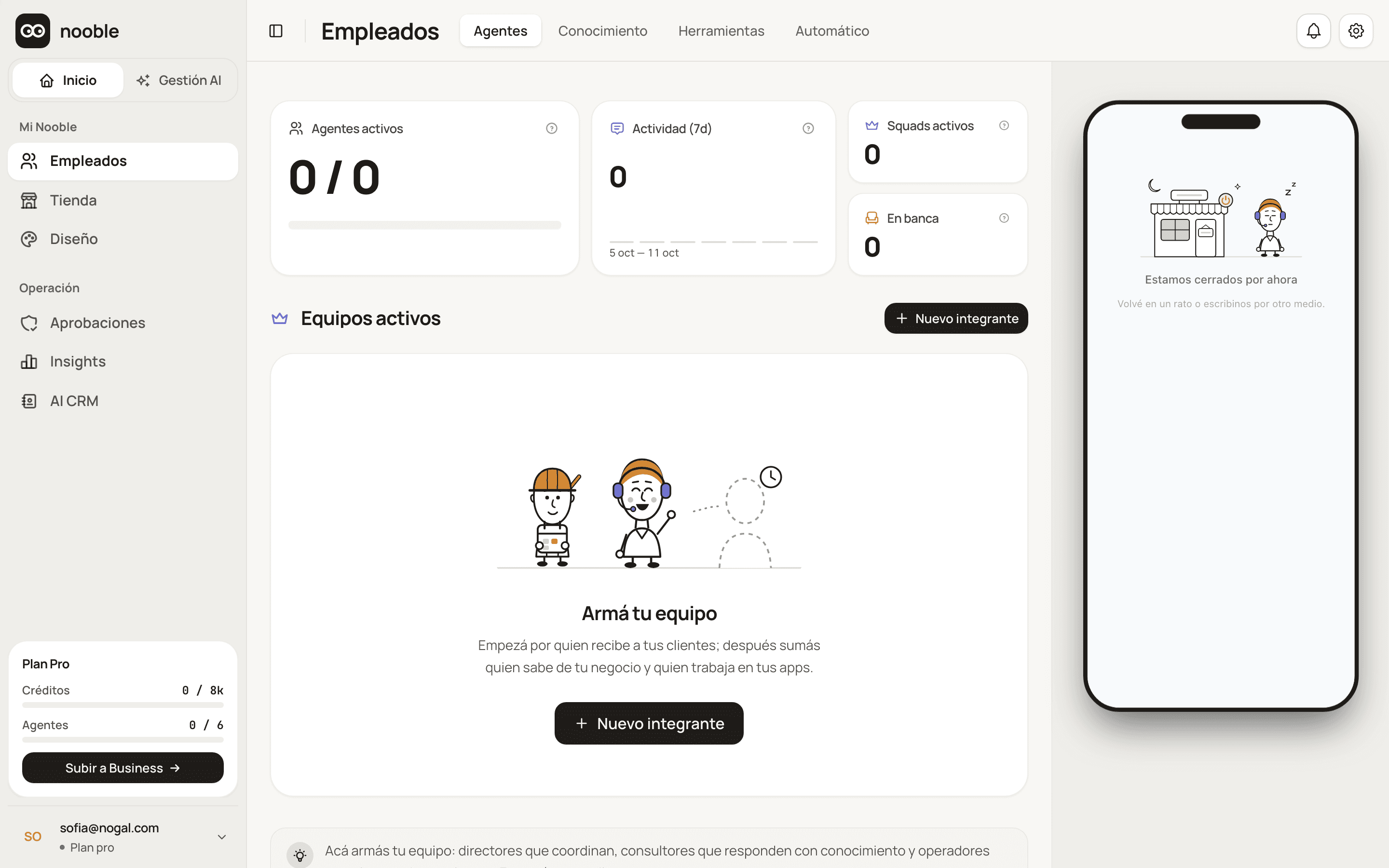
This is how your account starts: these are the screens of a brand-new account, and each one explains what goes there.
You start with an empty team: the screen walks you through building it, starting with whoever greets your customers.
Every action leaves a stamp with what happened and when. If something fails, you see it. If a fact isn't in your documents, it doesn't make it up.
GmailRemindersTo: martin@… · Hi Martín, we'll see you tomorrow at 10:30.
It couldn't send the email. It's marked as failed and you can retry it. It never says it sent it if it didn't.
Google CalendarSchedulingThursday 16, 17:30.
No “done” without a receipt.
It answered with what your document says.
Every fact comes from your documents, not from the model's imagination.
The answer wasn't in what you uploaded.
If it isn't in your documents, it says so instead of making it up.
Your files, your money and your messages, under your control.
For each action your customers can request, you choose whether your team does it on its own, asks for your OK, or keeps it for you only.
Does it on its own
Asks for your OK
Stays for you only
With this setup: 2 actions run on their own, 3 ask for your OK and 0 stay for you only.
Taking payments and sending emails always wait for your OK.So does canceling an appointment.
The part of your team that serves your customers only sees the folder you gave it. The rest of your Drive stays out.
The one you gave itAlso: if a customer repeats a request, you get a single request to approve, and your keys are stored encrypted.
Anything sensitive starts at “With approval”.
Request accessAccess is by invitation. With a code, your account activates when you confirm your email. Without one, you join the waitlist.
That’s 38 apps ready for your team. For your practice or firm, these come first.


Mercado Pago, Tiendanube and Mercado Libre are among the 36, and all three connect by signing in with your account.
Google CalendarCalendlyGoogle MeetMercado Pago Stripe
 PayPalTiendanubeMercado LibreShopifyHubSpot
 Pipedrive
 Apollo
 Google ContactsGmail
 Your regular emailSlack
 Resend
 BrevoGoogle Drive
 Google DocsGoogle Sheets
 Google FormsNotion
 Airtable
 DocuSealTrello
 ClickUp
 Metricool
 WordPress
 ElevenLabs
 Brandfetch
 Tavily
 Firecrawl
 Make
 n8n
With one click: the eight Google apps (Calendar, Gmail, Drive, Docs, Sheets, Meet, Contacts and Forms).
By signing in with your account: Mercado Pago, Mercado Libre, Tiendanube and Notion.
With a detail you copy from the app itself: most of the rest. The details are in the catalog.
There your customer picks, pays and confirms by tapping the cards. Try picking a time.
Later you add it to your WhatsApp, your Instagram or your Telegram, each with your own account.
You need a WhatsApp Business account (Cloud API). Cards arrive as text.
You need your Meta account.
You create your bot in Telegram, paste its code and it's connected.
You join for free, by invitation. Paid plans add credits, documents and more members. Prices in USD.
Pay with Mercado Pago Pix, coming soon
Enterprise is set up by talking to a person.
You pick your plan after you get in.
Request accessAccess is by invitation. With a code, your account activates when you confirm your email. Without one, you join the waitlist.
A credit measures the AI's work; each answer uses a little.
When it hits the cap, your team stops and lets you know. You're never charged extra.
When they run out, you move to a plan or continue with your own AI key.
Someone who already has a paid Nooble plan passes it to you. Each of them can give away up to 5 invitations.
You've passed 1 of 5. Tap an invitation to pass it on or take it back.
With a paid plan you get 5 invitations. The link is in your dashboard, under Settings.
With your link their account is activated on Starter, with 100 credits to try it out.
A commission on each of their invoices.
It's a percentage of each invoice from the people you invited, as long as they stay active.
The engine that coordinates your team: it uses the right AI model for each role, splits the work among specialists and stops before overspending.
How Mercury worksIt uses a powerful model to lead and a fast one for tasks. You don't have to set anything up.
 Claude
 OpenAI
 Groq
 Cerebras
Still have a question?
The quickest way is to see it work with your business.
Request accessAccess is by invitation. With a code, your account activates when you confirm your email. Without one, you join the waitlist.
Reception for your customers. Cowork for you. And behind them, whoever books, bills and answers.
Access is by invitation. With a code, your account activates when you confirm your email. Without one, you join the waitlist.
Team photo: Reception and Cowork in the center, with their Consultant and their Operators on the sides.
